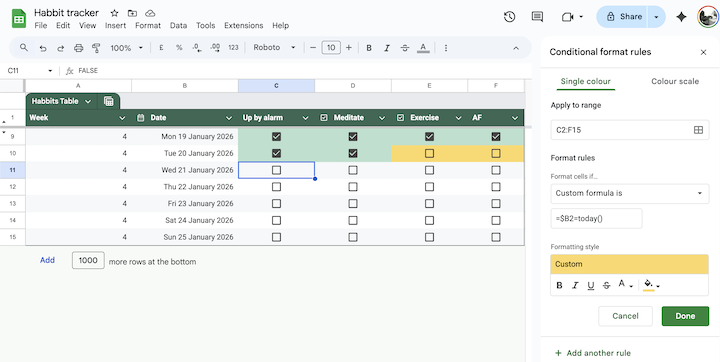
Today I learnt how to highlight today in Google Sheets 📅
I recently built a simple habit tracking spreadsheet in Google Sheets. There’s a row for each day, and I wanted to use conditional highlighting to highlight the current day…
You can find conditional formatting through the menu Format > Conditional Formatting where you can select the range of cells you want to format.
If column B is the date, then you can use the custom formula =$B2=today() to add conditional highlighting for cells in row 2. This is the formula you want to use, even if your range covers multiple rows.